Text Behind Subject Thumbnail Generator
Pick a sample, customize the subject, and generate a fresh YouTube thumbnail in the same visual style.
Choose a style sample
Hover or tap to explore. Select a sample to use it.
Creator statement
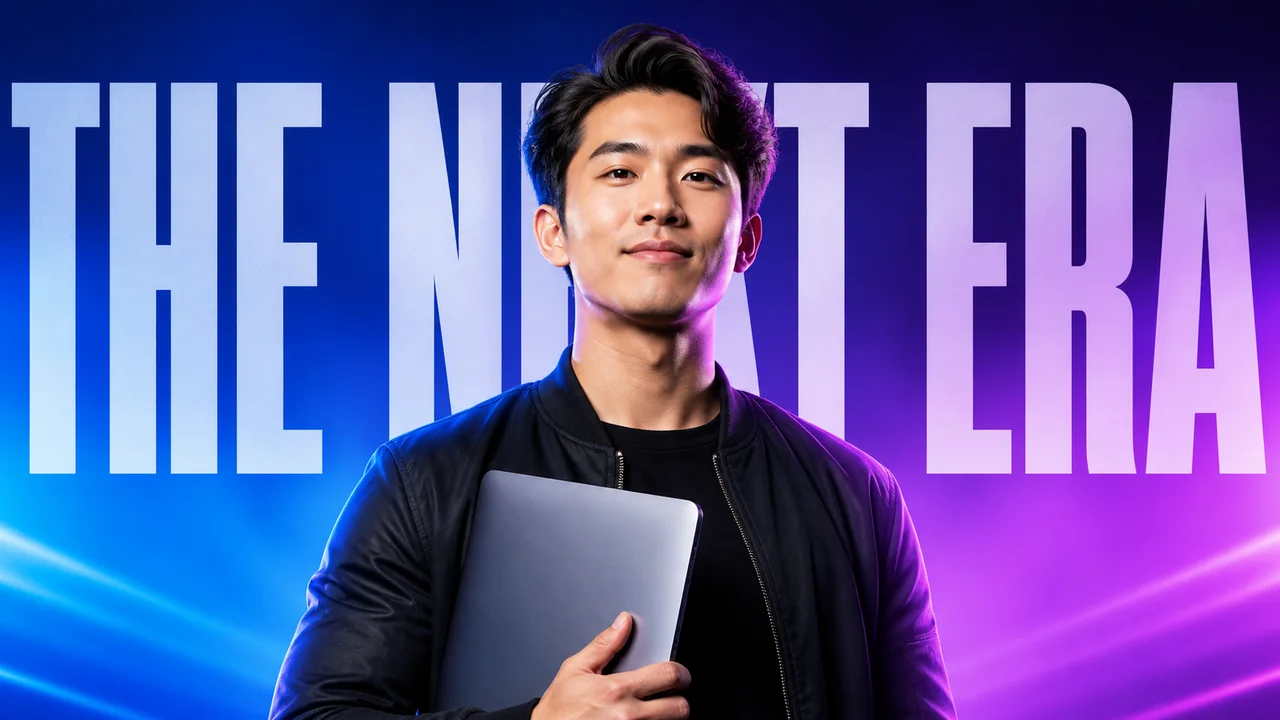
A centered creator masks an oversized studio headline for immediate depth.
Customize
Change the story while keeping the selected visual style.
What you get with Text Behind Subject
Text-behind-subject thumbnails create depth by placing a large headline between the background and a foreground cutout.
- Oversized text automatically layered behind the subject
- Clean foreground cutout and depth separation
- Works with people, products, vehicles, and objects
- Short editable headline built into the prompt
- Outputs at 1280×720 by default
- Supports multiple variants for A/B testing
What makes this style work
Use two to four words so enough of every letter remains visible around the subject.
Choose wide, heavy letterforms; thin fonts disappear when part of the headline is masked.
Keep the face clear. Mask text behind the head and shoulders, never across facial features.
Add a rim light or subtle outline to separate the foreground cutout from the headline.
Use a simple background because the depth stack already provides visual complexity.
Frequently asked questions
What is the text-behind-subject thumbnail style?
How much of the text can the subject cover?
What text works best?
Do I need a transparent photo of myself?
Can this style work without a person?
Is this different from a giant-text thumbnail?
More AI styles
Browse all
Giant Text
Generate YouTube thumbnails dominated by huge bold text. When your title is the hook, the thumbnail's job is to make that hook unmissable — at any preview size, on any device.

Minimalist Clean
Minimalist thumbnails for creators tired of yelling. One subject, lots of negative space, a single typographic line — the look that owns design, productivity, finance, and premium-feel YouTube.

Shocked Face Reaction
Generate shocked-face reaction thumbnails that stop the scroll. Wide eyes, open mouth, raised eyebrows — the universally readable emotional signal that lifts CTR across every niche.