AI Portrait Generator

Transform your photos into 9 unique artistic styles in seconds.

Upload photo

Drag & drop or click · JPG / PNG / WEBP

0/4 selected
0/50

Upload a photo to get started

Your generated images will appear here

Transform Photos into 9 Unique Artistic Styles

From classic sketch and watercolor to modern cartoon and chibi styles. See what our AI portrait generator can create.

Sketch style portrait example
Sketch
Stencil style portrait example
Stencil
Chibi style portrait example
Chibi
Impressionist style portrait example
Impressionist
Cartoon style portrait example
Cartoon
Chibi style portrait example
Chibi
Polaroid style portrait example
Polaroid
Ink Wash style portrait example
Ink Wash
Watercolor style portrait example
Watercolor
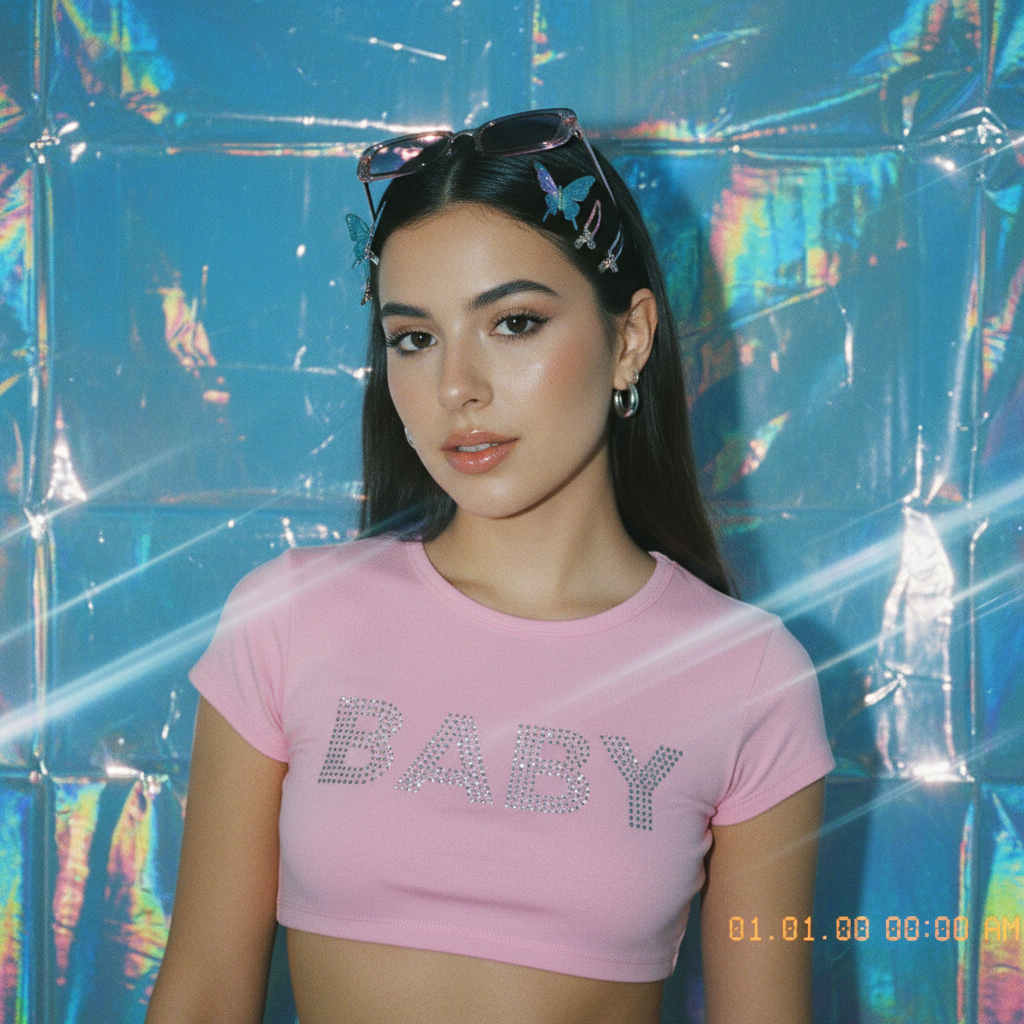
Y2K style portrait example
Y2K

Every Style, Explained

Photo to Pencil Sketch

Turn your photo into a detailed graphite pencil sketch with fine shading and clean strokes — a timeless hand-drawn look on a clean white background.

Stencil Street Art (Banksy-style)

Convert a portrait into bold, high-contrast black-and-white stencil art inspired by Banksy and street-art culture.

Photo to Watercolor Painting

Transform your portrait into a soft, hand-painted watercolor with gentle gradients, vibrant pigments and subtle paper-grain texture. Popular for profile pictures and gifts.

Impressionist Oil Painting (Monet-style)

Render your photo as an impressionist oil painting with visible brushstrokes and vibrant light, echoing Monet and Renoir.

Chinese Ink Wash / Sumi-e Portrait

Reimagine your portrait as a minimal Chinese ink wash (sumi-e) painting — expressive black ink on white paper with an artistic, understated feel.

Photo to Cartoon & Anime

Turn your photo into a clean Japanese anime-style illustration with expressive eyes, crisp line art and bright cel-shading — a favorite for avatars and stickers.

Chibi Avatar Maker

Create an adorable chibi version of yourself — a cute, super-deformed character with a big head, small body and vibrant colors.

Vintage Polaroid Effect

Give your photo a nostalgic instant-camera look with a white border frame, faded analog colors and retro 1980s film grain.

Y2K Digicam Aesthetic

Recreate the early-2000s digicam vibe — harsh flash, glossy chrome backgrounds, candy-bright colors and iconic Y2K fashion.

How to Generate AI Portraits

1. Upload Photo

Upload your portrait photo in JPG, PNG, or WebP format, use clear photo for better results

2. Choose Style

Select one or more styles from the collection: Sketch, Watercolor, Cartoon, and more

3. Generate & Download

AI transforms your photo in seconds, download your favorites in high resolution

Frequently Asked Questions

Do I need an account to use the AI Portrait Art Generator?
Yes, you need to sign in to use the AI Portrait Art Generator. Create an account to get started.
How many credits does each portrait cost?
Each style costs 2 credits.
What artistic styles are available?
We offer 9 unique styles: Sketch, Stencil, Watercolor, Impressionist, Ink Wash, Cartoon, Chibi, Polaroid, and Y2K. Each style uses advanced AI to transform your photo while maintaining recognizable features.
How do I turn a photo into a sketch?
Upload your photo, choose the Sketch style, and generate. Our AI converts it into a detailed graphite pencil sketch with clean strokes and shading in seconds.
Can I turn my photo into an anime or cartoon?
Yes. Select the Cartoon style to transform your photo into a clean Japanese anime-style illustration with expressive eyes, crisp line art and bright cel-shading. The Chibi style creates a cute super-deformed version.
How do I make a watercolor painting from a photo?
Choose the Watercolor style after uploading your photo. The AI paints it into a soft, hand-painted watercolor with gentle gradients, vibrant pigments and subtle paper-grain texture.
Can I use the generated portraits commercially?
Yes! You own the rights to the portraits you generate and can use them for commercial purposes. However, you must ensure you have the rights to the original photo you upload.
How long does generation take?
Generation typically takes 20 to 40 seconds per style. When generating multiple styles in batch, they are processed simultaneously for faster results.
Can I generate multiple styles at once?
Yes! You can select up to 4 styles at once and generate them all in a single batch. This is perfect for comparing different artistic effects on your photo.
What if my generated portrait doesn't look right?
AI generation can sometimes produce unexpected results. If your portrait doesn't look quite right, try regenerating with the same photo. Each generation is unique, so results may vary. For best results, use a clear, well-lit photo with your face clearly visible.
Want more styles?
We're constantly adding new styles! Give us your feedback, or create unlimited custom transformations using our AI Generator.