Y2K Thumbnail Generator
Give any subject a bold Y2K makeover in one click.
What you get with Y2K
The Y2K look is built from a specific set of signals: harsh on-camera flash and slight low-res grain (the digicam photo), chrome and holographic frutiger-aero gradients, bubbly rounded typography, and the fashion of the era — low-rise jeans, baby tees, tinted sunglasses, chunky sneakers, butterfly clips, and metallic fabrics.
- Three looks: Y2K fashion, bling poster, and cyber-chrome
- Bold chrome-and-rhinestone typography with sparkle accents for thumbnails
- Chrome, holographic, and frutiger-aero textures for the cyber look
- Works from a reference photo of yourself or any subject
- Outputs at 1280×720 (YouTube spec) by default
- Multiple variants per batch for A/B testing
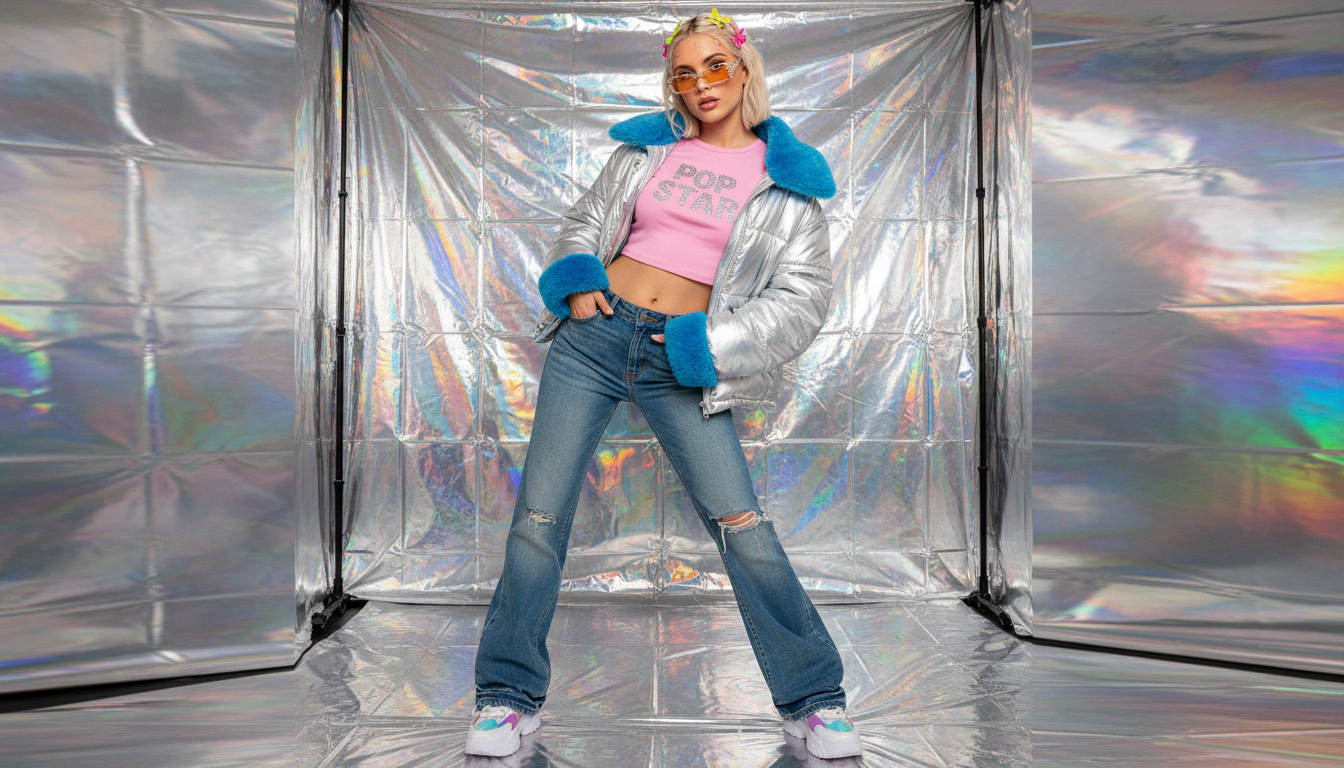 Y2K Fashion
What makes this style work
For an authentic Y2K photo, lean into the flaws — blown-out flash, a low-res look, and a corner date-stamp read as "2000s digicam" faster than any filter.
Keep the color palette candy-bright with a slight cool blue cast. Warm, moody grading reads as 2010s film, not Y2K.
For Y2K clothes, stack the signature pieces: low-rise denim + baby tee + tinted sunglasses + something metallic. One item alone doesn't sell the era; the combination does.
Use chrome, holographic, and translucent-plastic textures for the cyber side of Y2K. Matte surfaces feel modern; glossy surfaces feel 2000s.
Pick bubbly, rounded, metallic typography. Sharp geometric fonts break the nostalgia — Y2K type is chunky, chrome, and slightly inflated.
Frequently asked questions
What makes a photo look Y2K?
Can I generate a Y2K clothes / fashion look?
What's the difference between the Bling Poster and Cyber Chrome looks?
Can I make a Y2K photo of myself?
What colors define the Y2K aesthetic?
What size is the output?
More AI styles
Browse all
Retro 80s
Generate retro 80s thumbnails in seconds — synthwave sunsets, VHS tape grain, or 80s movie posters. Hot pink, electric cyan, chrome typography, and the grid horizon that defines synthwave YouTube and retro gaming channels.

Cyberpunk
Make cyberpunk YouTube thumbnails in seconds — neon street scene, augmented mech, or cyber-samurai. Rain-soaked Tokyo neon, chromatic holograms, and the dystopian palette that owns sci-fi and gaming feeds.

Pop Art Comic
Generate pop-art and comic-book thumbnails — Warhol four-panel, Lichtenstein dot-screen, or Marvel cover. Halftone dots, primary colors, speech bubbles, and the bold ink lines that make a thumbnail scream.